


SmartSTREAM Startup Guide
Return to the User Support Site TopHow to Use the Analytics Screen
Analyze Usage
Click Home > Analytics to display the following screen.
You can analyze video delivery status by combining items and categories.
-
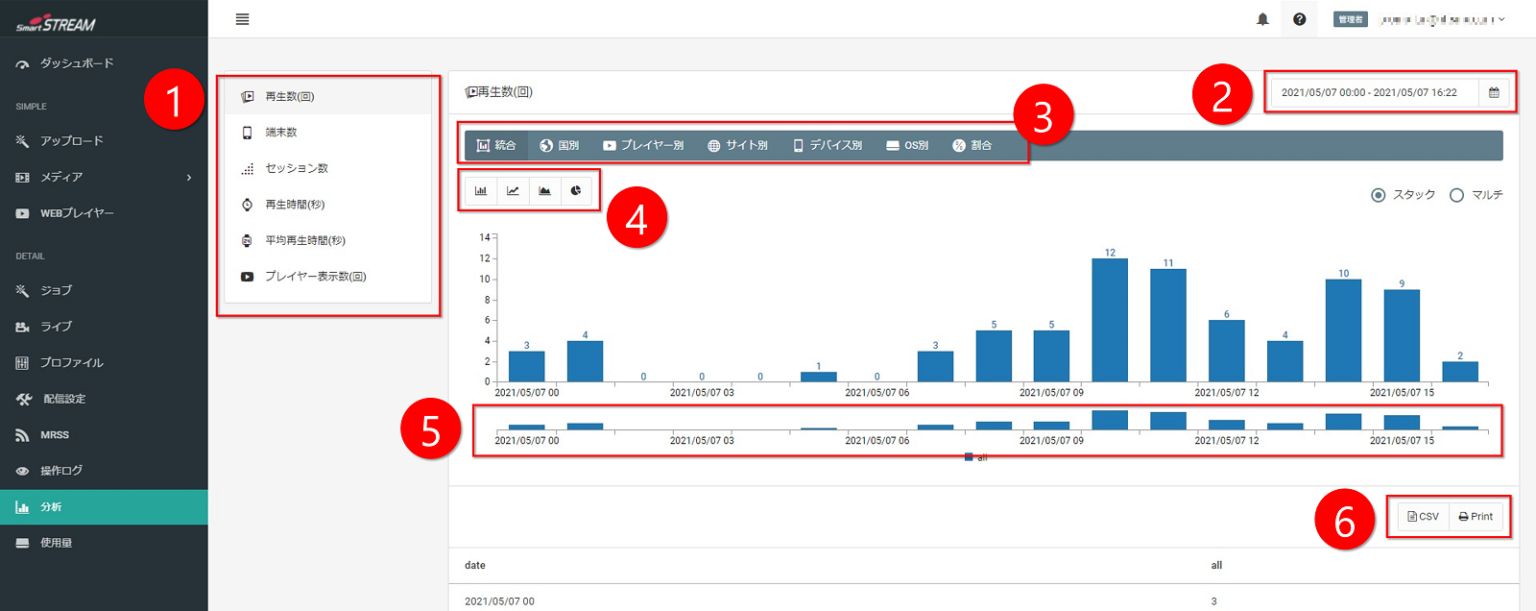
Select the item you want to check.
-
Specify the period you want to analyze.
-
Select the category you want to check.
-
Select the graph format you want to display to show a graph of the analysis results.
-
Drag the mouse to enlarge the graph for the selected period.
-
You can export the analysis results to CSV or print them.

For details on each item, please refer to the SmartSTREAM Support Manual.