


SmartSTREAM Startup Guide
Return to the User Support Site TopHow to Use the Management Screen
Check Announcements / Inquiries / Usage Summary
When you click Login > Dashboard, the following screen is displayed.
-
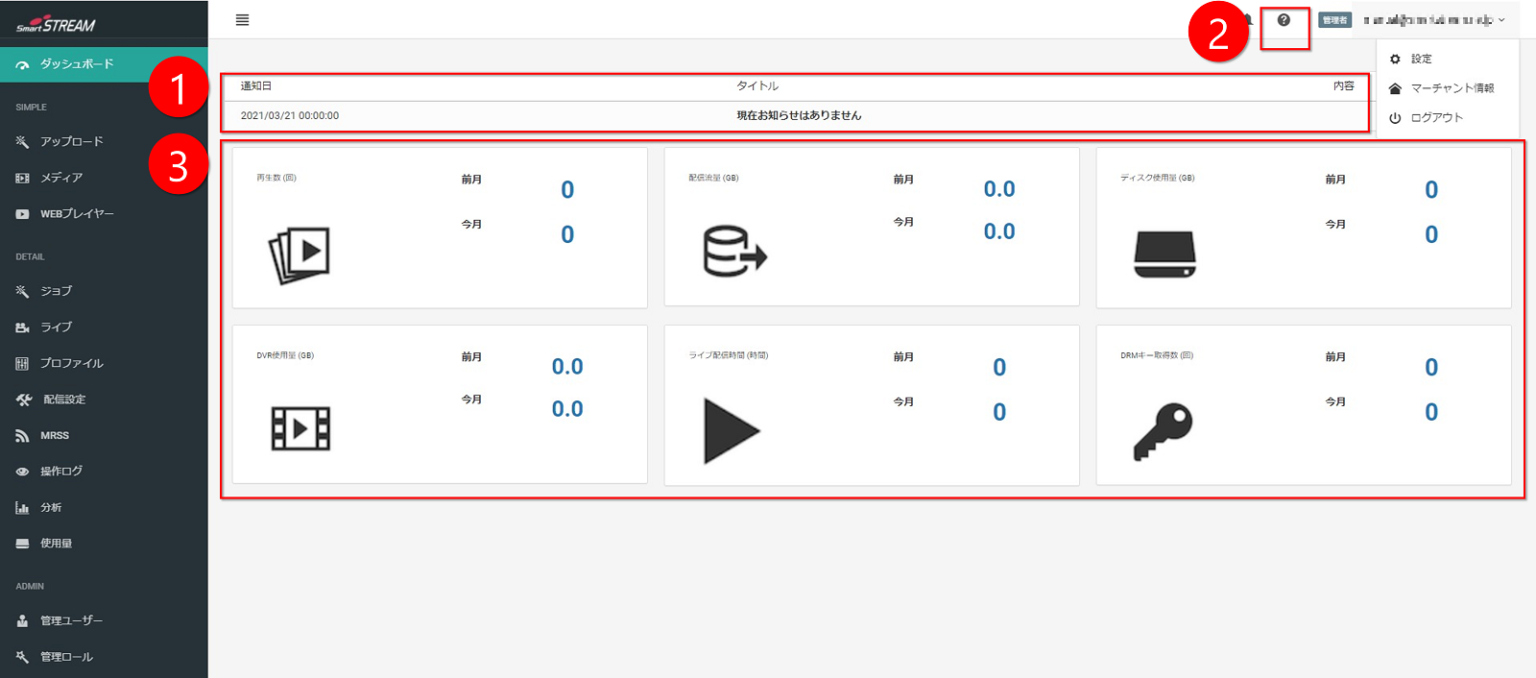
If there are maintenance notices, technical issues, or announcements, they are displayed here.
-
Clicking the “?” icon displays the inquiry screen.
Alternatively, please contact us via the User Support Site inquiry contact. -
A summary of usage status by item is displayed here.
View Usage Details
When you click Home > Usage, the following screen is displayed.
-
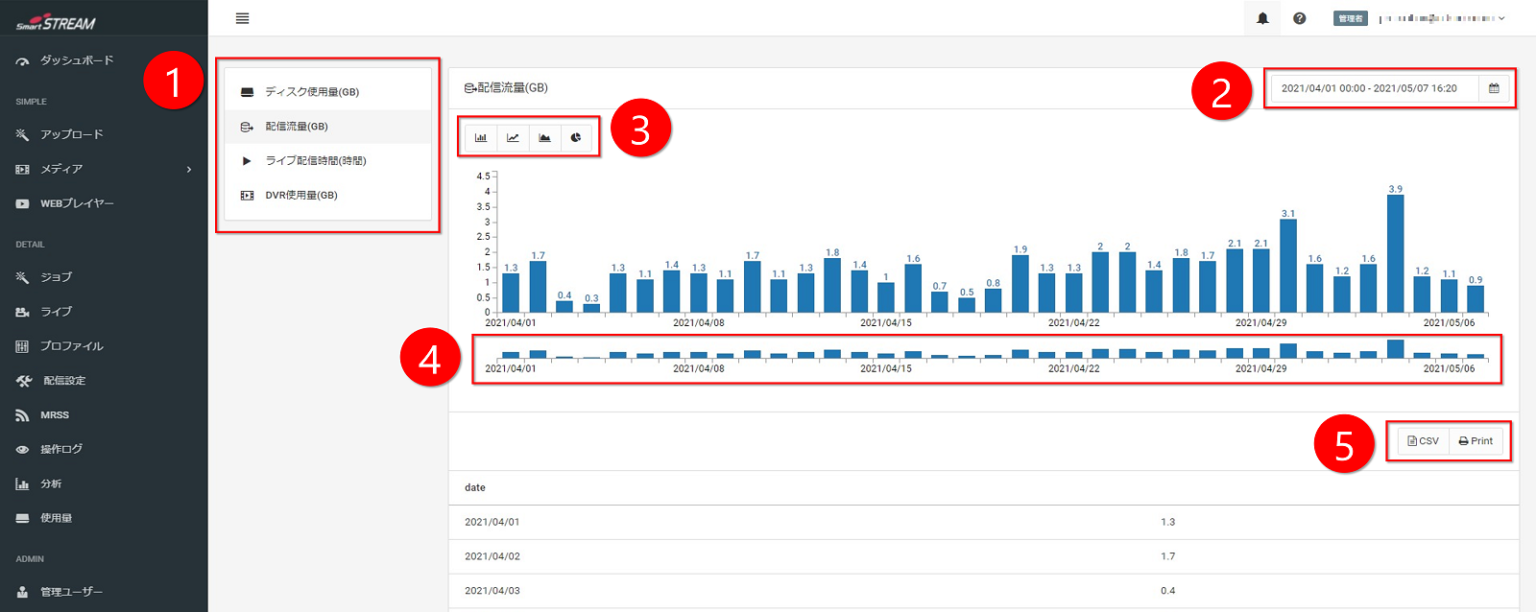
Select the item you want to check.
-
Specify the period you want to check.
-
Select the graph format you want to display, and the usage status will be shown.
-
Drag the mouse to enlarge the graph for the selected period.
-
You can export the usage results to CSV or print them.
Menu List
Settings Menus on the Management Screen
| Left menu item | Description |
|---|---|
| Dashboard | You can check announcements from us and usage status. |
| Upload | You can upload VOD content. |
| Media | Uploaded on-demand videos are displayed in a list. |
| Playlist | You can create and manage playlists that list uploaded videos and play them in sequence. |
| Media Group | You can specify whether to assign media to a media group (= folder). |
| Streaming Web Player | You can configure streaming by combining encoded videos with a Web Player. |
| Web Player | You can create a player for video playback. |
| Jobs | A list of distributable videos operated from “Upload” is displayed. Normally, operate from “Upload”. Use Jobs if you want to perform more detailed settings. |
| Live | Configure live streaming settings. |
| Profile | Configure video resolution and format settings when converting general video files into formats suitable for streaming. |
| Streaming Settings | Configure viewing restrictions (One-time URL, AES encryption, DRM encryption) for distributed media. |
| Operation Log | You can view operator activity logs. |
| Analytics | You can graph the number of plays, playback time, number of devices, and number of sessions on a daily or hourly basis. |
| Usage | You can check disk usage, delivery traffic, live streaming time, and DVR usage. |
| Management Users | You can issue login accounts for the service. |
| Management Roles | You can configure permissions assigned to account users. |