


SmartSTREAM Startup Guide
Return to the User Support Site TopLogin / Logout
Log In to SmartSTREAM
Login Screen
-
Access the Management Screen using a browser connected to the internet.
-
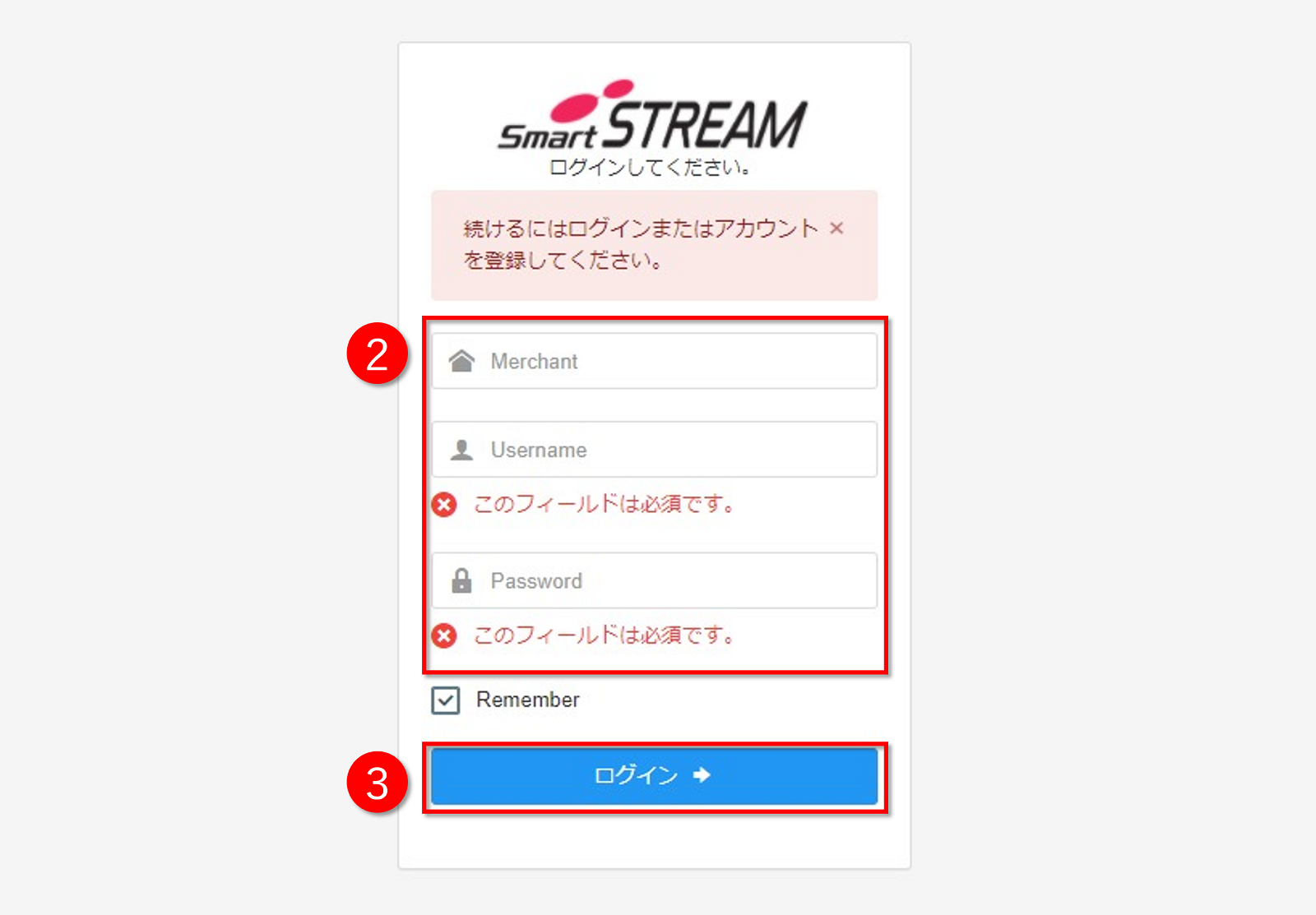
Enter the following login information provided by our company.
- Client ID (Merchant ID)
- Account ID
- Password
-
Click Log In.

If you check "Remember", the Account ID and password will be automatically filled in the next time you log in.

- If login authentication fails five times consecutively, the account will be temporarily locked and login will be disabled for 30 minutes.
- If you have forgotten your password, please contact us.
Log Out of SmartSTREAM
-
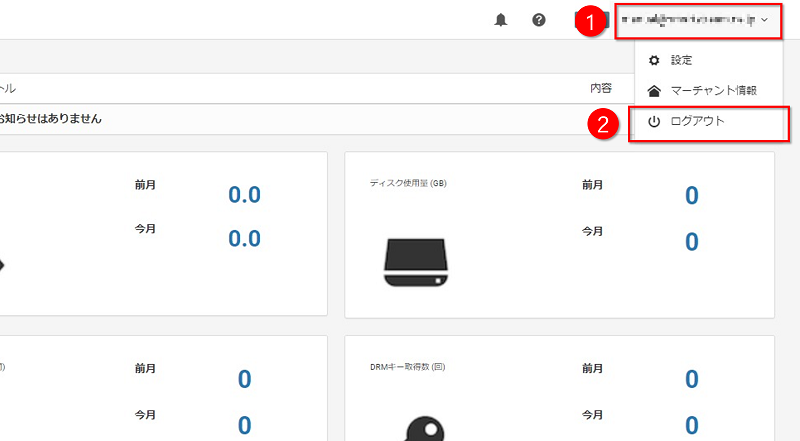
Click the email address displayed in the upper-right corner of the Management Screen.
-
Click Log Out.